
JustOpinion Docs
Add lightweight hosted comments to blogs, documentation sites, and static websites.
Quick start
- Start registration from the Pricing page.
- Verify your email with the secret code.
- Create your site entry and allowed origin/domain.
- Copy the generated embed snippet.
- Paste it into your site layout or page.
- Publish your site and test the comment widget.
1. Get your site key
Go to the Pricing page and start with the Free plan. Enter your contact email, verify it with the secret code, then create a site entry with your site name and allowed origin/domain. After creation, you will receive your site key, embed snippet, and private moderation link.
2. Embed the widget
Choose the integration guide for your platform:
Paste these two lines wherever you want comments to appear. Replace YOUR_SITE_KEY with your site key.
<link rel="stylesheet" href="https://www.justopinion.online/comments.css">
<script
  src="https://www.justopinion.online/comments.js"
  data-site-key="YOUR_SITE_KEY">
</script>
Each page gets its own comment thread automatically based on the page URL.
Create a partial at layouts/partials/comments.html with:
<link rel="stylesheet" href="https://www.justopinion.online/comments.css">
<script
  src="https://www.justopinion.online/comments.js"
  data-site-key="{{ site.Params.justopinion.siteKey }}"
  data-page-id="{{ .RelPermalink }}">
</script>
Then include it in your template:
{{ partial "comments.html" . }}Add your site key to hugo.toml (or config.toml):
[params.justopinion]
  siteKey = "YOUR_SITE_KEY"
Create an include at _includes/justopinion-comments.html with:
<link rel="stylesheet" href="https://www.justopinion.online/comments.css">
<script
  src="https://www.justopinion.online/comments.js"
  data-site-key="{{ site.justopinion.site_key }}"
  data-page-id="{{ page.url }}">
</script>
Then include it in your layout:
{% include justopinion-comments.html %}Add your site key to _config.yml:
justopinion:
  site_key: "YOUR_SITE_KEY"
Add the embed directly in any .astro component or page:
---
const siteKey = "YOUR_SITE_KEY";
---

<link rel="stylesheet" href="https://www.justopinion.online/comments.css" />
<script
  src="https://www.justopinion.online/comments.js"
  data-site-key={siteKey}>
</script>
You can also store the key in an environment variable and reference it via import.meta.env.
Add the embed to your base layout, usually _includes/layouts/base.njk or the layout used by your posts:
<link rel="stylesheet" href="https://www.justopinion.online/comments.css">
<script
  src="https://www.justopinion.online/comments.js"
  data-site-key="{{ justopinion.siteKey }}"
  data-page-id="{{ page.url }}">
</script>
Add your site key to your Eleventy data, for example in _data/justopinion.json:
{
  "siteKey": "YOUR_SITE_KEY"
}
Each page uses its Eleventy URL as the comment thread ID.
Add the stylesheet in src/css/custom.css or load it from your custom layout:
@import url("https://www.justopinion.online/comments.css");Create a small React component, for example src/components/JustOpinionComments.js:
import React, { useEffect, useRef } from "react";
import { useLocation } from "@docusaurus/router";

export default function JustOpinionComments() {
  const containerRef = useRef(null);
  const location = useLocation();

  useEffect(() => {
    const script = document.createElement("script");
    script.src = "https://www.justopinion.online/comments.js";
    script.dataset.siteKey = "YOUR_SITE_KEY";
    script.dataset.pageId = location.pathname;
    script.async = true;

    containerRef.current.innerHTML = "";
    containerRef.current.appendChild(script);
  }, [location.pathname]);

  return <div ref={containerRef} />;
}
Then render the component where you want comments to appear, such as below your docs content or blog post layout.
Add the stylesheet in .vitepress/theme/index.js:
import DefaultTheme from "vitepress/theme";
import "./custom.css";

export default DefaultTheme;
Then add this to .vitepress/theme/custom.css:
@import url("https://www.justopinion.online/comments.css");Create a component at .vitepress/theme/components/JustOpinionComments.vue:
<script setup>
import { onMounted, watch } from "vue";
import { useRoute } from "vitepress";

const route = useRoute();

function loadComments() {
  const container = document.getElementById("justopinion-comments");
  if (!container) return;

  container.innerHTML = "";

  const script = document.createElement("script");
  script.src = "https://www.justopinion.online/comments.js";
  script.dataset.siteKey = "YOUR_SITE_KEY";
  script.dataset.pageId = route.path;
  script.async = true;

  container.appendChild(script);
}

onMounted(loadComments);
watch(() => route.path, loadComments);
</script>

<template>
  <div id="justopinion-comments"></div>
</template>
Use the component in any page or layout where you want comments to appear.
3. Customise the widget
The widget exposes CSS classes you can override from your own stylesheet.
Most JustOpinion-specific classes use the jo- prefix, with common containers such as
.comment-box, .comment-list, and .comment.
Example: change the button colour
.comment-box button {
  background-color: #2563eb;
}
.comment-box button:hover {
  background-color: #1d4ed8;
}
Example: hide the name field
.comment-box input[type="text"] {
  display: none;
}
How threads are identified
By default, each page URL becomes its own discussion thread.
You can optionally override this using the data-page-id attribute.
Allowed origins
The widget only communicates with our API from origins associated with the URLs you registered.
Origin matching is based on the visitor’s scheme, host, and port. Browsers do not include full
page paths in the Origin header.
Requests are accepted when the hostname matches a registered entry exactly, or differs only by
common subdomain variations such as apex and www. Subdomains under the registered hostname are also allowed,
so register only domains you control.
In most cases, registering your canonical HTTPS base URL is enough for standard
www/non-www setups.
Registered:
https://example.com

Allowed:
https://www.example.com
https://docs.example.com

Not allowed:
https://another-site.com
Avoid registering overly broad shared hostnames unless all related subdomains belong to the same site or property.
Moderation
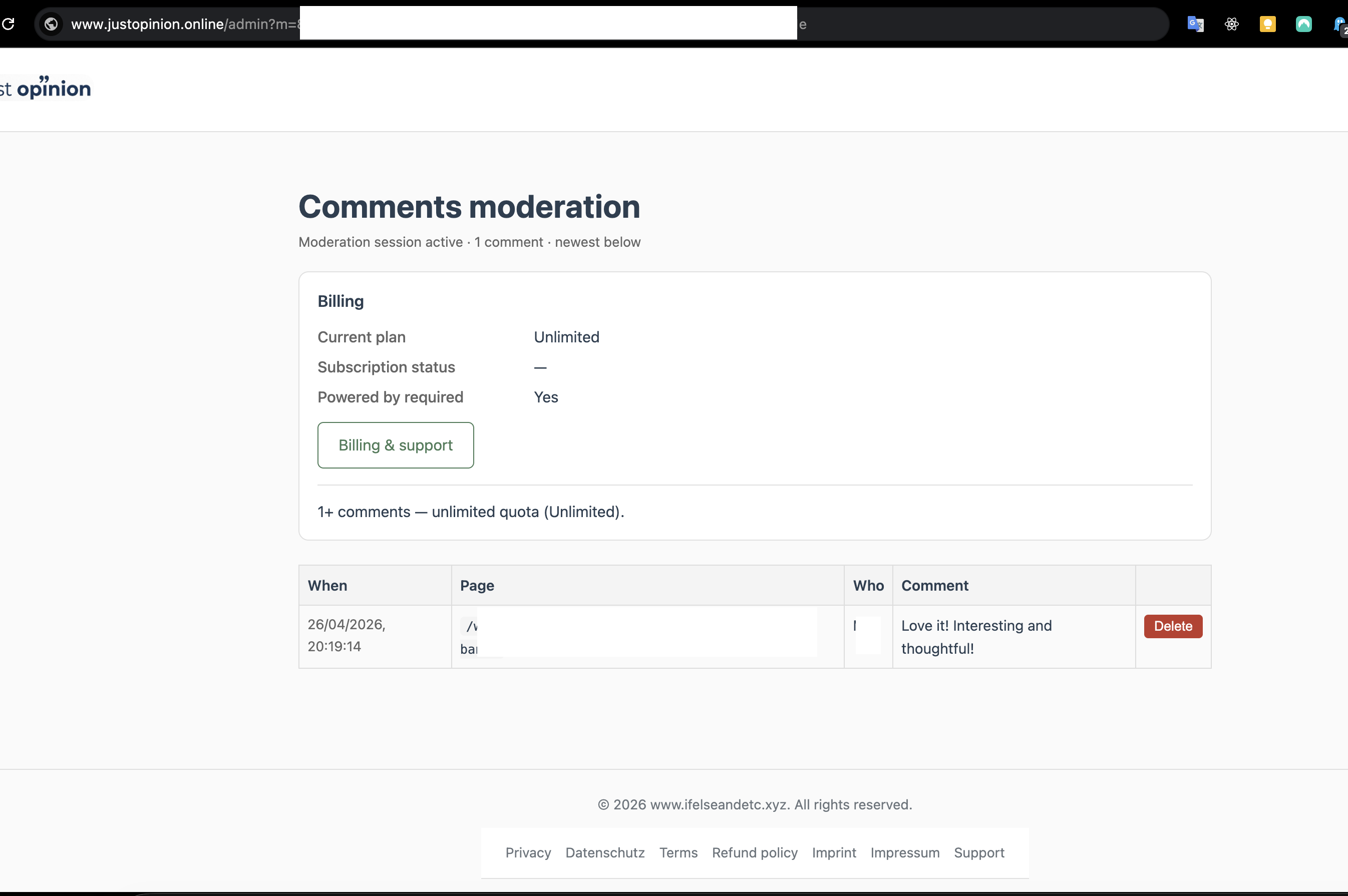
Every site receives a private moderation link. Use it to review, delete, and manage comments for that site.
Features
- Add a full comment section with just two lines of code
- Each page gets its own comment thread automatically
- Optional commenter name — anonymous commenting supported
- Auto-generated avatars based on commenter name
- No cookies, no trackers, and no third-party social-network overlays in the embedded widget.
- Threaded replies in the embedded widget
- Comments are stored separately from your static site and remain available after site redeploys.
- Customise the look with CSS overrides
Current limitations
- Replies are one level deep only
- Anti-spam protections are currently basic. CAPTCHA support is planned.
- No email notifications for new comments yet
- Plain text only — no rich text or Markdown support
- Visitors cannot edit comments after posting
- The Free plan includes a comment limit. Pro plans increase that limit.
Data & privacy
Comments are stored separately for each site. The widget does not use cookies or tracking — only the information visitors choose to submit.
FAQ
Can I self-host JustOpinion?
Not currently. JustOpinion is currently provided as a hosted service. A self-hosted option may be considered later if there is enough demand. Export options are also an important part of avoiding lock-in and are available in the management portal.
Does each page get its own thread?
Yes — each page path gets its own comment thread automatically.
How do I moderate comments?
Use the private moderation link from your welcome email. Bookmark it and keep it private.
Will comments survive redeploys?
Yes — comments are stored separately from the widget and remain available after redeploys.